What's new
[XB] Content Feeds

[XB] Content Feeds [Paid] 2.1.0 Patch Level 3

You must log in or register to purchase ($15.00)
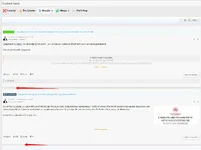
Thank you for fixing the issue I brought up earlier. Another thing I've been running into since you added autoload is that it is extremely inconsistent on Desktop. Mobile works perfectly, but I can hardly get it to work on my Desktop.

I ran into this issue with my infinite scrolling add-on. I had to have separate scrolling distance distances for both mobile and desktop
 
Auto refresh doesn’t work after choosing different style of threads
should be fixed in last patch

Thank you for fixing the issue I brought up earlier. Another thing I've been running into since you added autoload is that it is extremely inconsistent on Desktop. Mobile works perfectly, but I can hardly get it to work on my Desktop.

I ran into this issue with my infinite scrolling add-on. I had to have separate scrolling distance distances for both mobile and desktop
i added style options so you can configure them
 
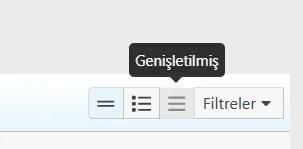
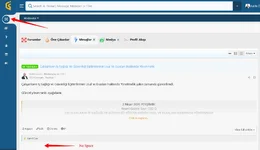
I couldnt find phrases for button tooltips. Could you please assist me? If these are using XenForo phrases, I recommend to make independent for flexibility.

1775672777828.webp
 
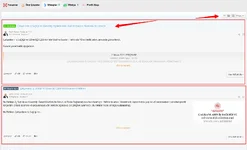
May I ask how can I customize style of Expanded view as well as selection buttons? I want to add some spaces between messages
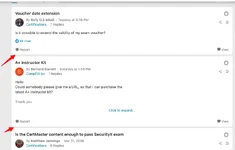
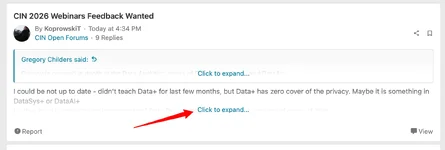
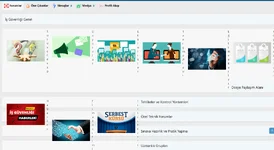
I want to make expanded view like this. seperate messages with gaps.
View attachment 4015

View attachment 4016
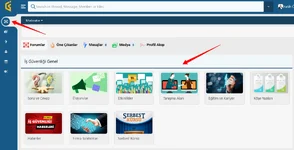
@Painbaker What is the function of this style option? I am selecting this but nothing changing.

View attachment 4009


this option adds space between blokcs
but it affects not only the “expanded” view


I couldnt find phrases for button tooltips. Could you please assist me? If these are using XenForo phrases, I recommend to make independent for flexibility.

View attachment 4010
currently it uses the standard Xf phrases (list/simple/expanded)
I'll add custom in the next updates
 
this option adds space between blokcs
but it affects not only the “expanded” view
I tried to add space between block with this. But not working. I am not sure if there is any conflict with my theme or not. But I tried in default XF theme and style same no space between messages.
 
I just did another test. I activated Redirect "whats new" page to "content feeds". I f I click Whats New there is space at expanded view only. But if I visit forum home page, there is no space.

1776104364780.webp

However, in this way my forum list is breaking.
1776104409338.webp

with Forum menu it is normal:
1776104459747.webp
1776104484391.webp
 
I just did another test. I activated Redirect "whats new" page to "content feeds". I f I click Whats New there is space at expanded view only. But if I visit forum home page, there is no space.

View attachment 4056

However, in this way my forum list is breaking.
View attachment 4057

with Forum menu it is normal:
View attachment 4058
View attachment 4059


i see these rules in your css that disable space between block containers for the forum list:

CSS:
[data-template="forum_list"] .block-container {
  border: none;
  margin: 0;
}


Regarding the broken forums layout , these rules limit these styles to just "forum_list" template:

CSS:
[data-template="forum_list"] .p-body-content .block-body .node-body, [data-template="forum_view"] .p-body-content .block-body .node-body, [data-template="category_view"] .p-body-content .block-body .node-body {
  position: relative;
  display: flex;
  flex-direction: column;
  width: 100%;
  height: 100%;
  background: hsla(var(--xf-contentAltBg));
  border: 1px solid hsla(var(--xf-borderColor));
  border-radius: 6px;
  padding: 6px;
}

You need to include the content feeds template

Code:
[data-template="ozzmodz_flt_tab_list"] .p-body-content .block-body .node-body
 
Back
Top